
ZKTECO
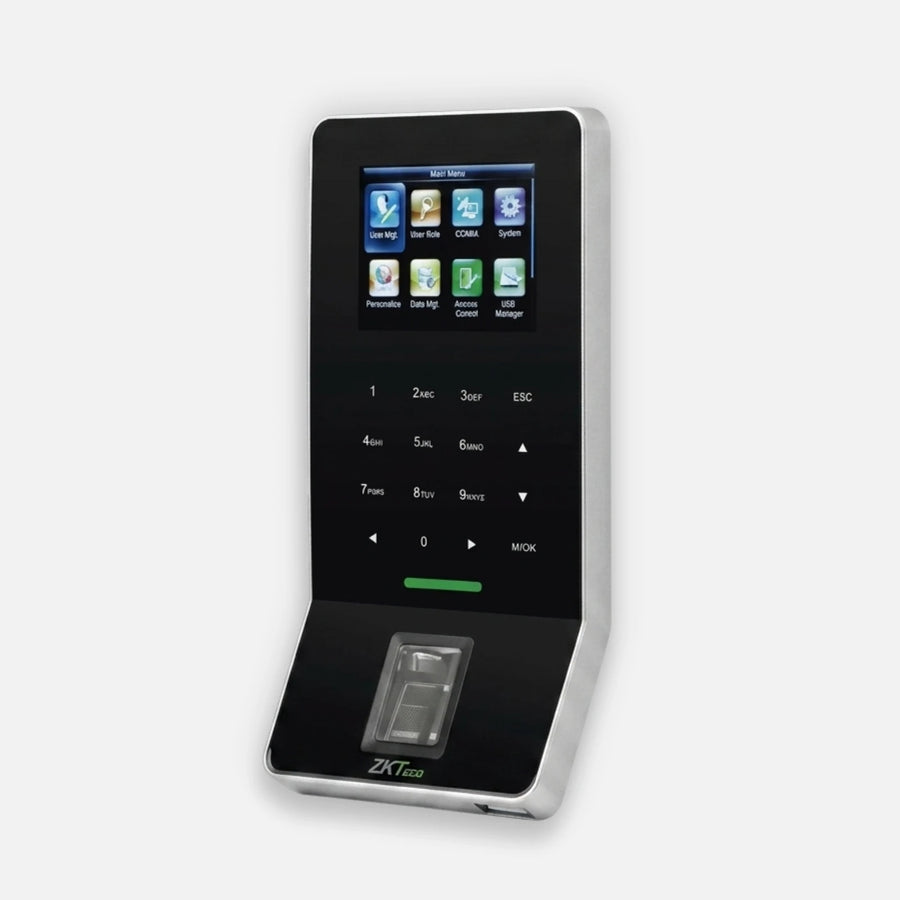
Zkteco F22-ID Fingerprint Access Control Terminal 3000 Template TCP/IP
Lead time confirmed after order.
- Product availability confirmed before fulfillment.
- Support in English, Spanish and Portuguese.
- 30-day returns and RMA support.
Product details
PRODUCT OVERVIEW
Ultra-thin fingerprint time attendance and access control terminal featuring BioID technology, standard Wi-Fi connectivity, multiple verification methods, and advanced access control functions for standalone or integrated deployments.
PRODUCT TYPE
Access Control
KEY FEATURES
• Ultra-thin and compact design
• 2.4-inch TFT color display with touch keypad
• BioID fingerprint sensor technology
• Standard Wi-Fi connectivity
• Supports standalone installation or integration with third-party access control panels
• Supports standard Wiegand input and output
• Full access control functionality including anti-passback
• Auxiliary input for linkage with wired detector or emergency switch
• Multiple verification modes supported
• TCP/IP and RS485 network communication support
• High-speed fingerprint matching algorithm
• Supports optional EM 125KHz card verification
• Built-in access control interfaces for electric lock, door sensor, exit button, and alarm
TECHNICAL SPECIFICATIONS
• Display: 2.4-inch TFT LCD Color Screen
• Fingerprint Capacity: 3,000
• Card Type: EM 125KHz
• Transaction Capacity: 30,000
• Sensor: BioID Sensor / SilkID Sensor (optional)
• Algorithm Version: ZKFinger VX10.0
• Communication Interfaces: RS232/485, TCP/IP, USB Host, Wi-Fi
• Access Control Interfaces: 3rd Party Electric Lock, Door Sensor, Exit Button, Alarm
• Wiegand Signal: Input / Output
• Auxiliary Input: 1ea for linkage function
• Functions: DST, Automatic Status Switch, Record Query, T9 Input, 14-Digit User ID, Anti-passback, Scheduled Bell, Printer (Optional), ADMS (Optional)
• Power Supply: 12V DC, 3A
• Operating Temperature: 0°C to 45°C
• Operating Humidity: 20% to 80%
• Dimensions (L x W x H): 158.5 x 78.0 x 19.4 mm
• SDK and Software: Standalone SDK
Need help confirming the right configuration?
Share the model, application or current system. A specialist will help you confirm compatibility.